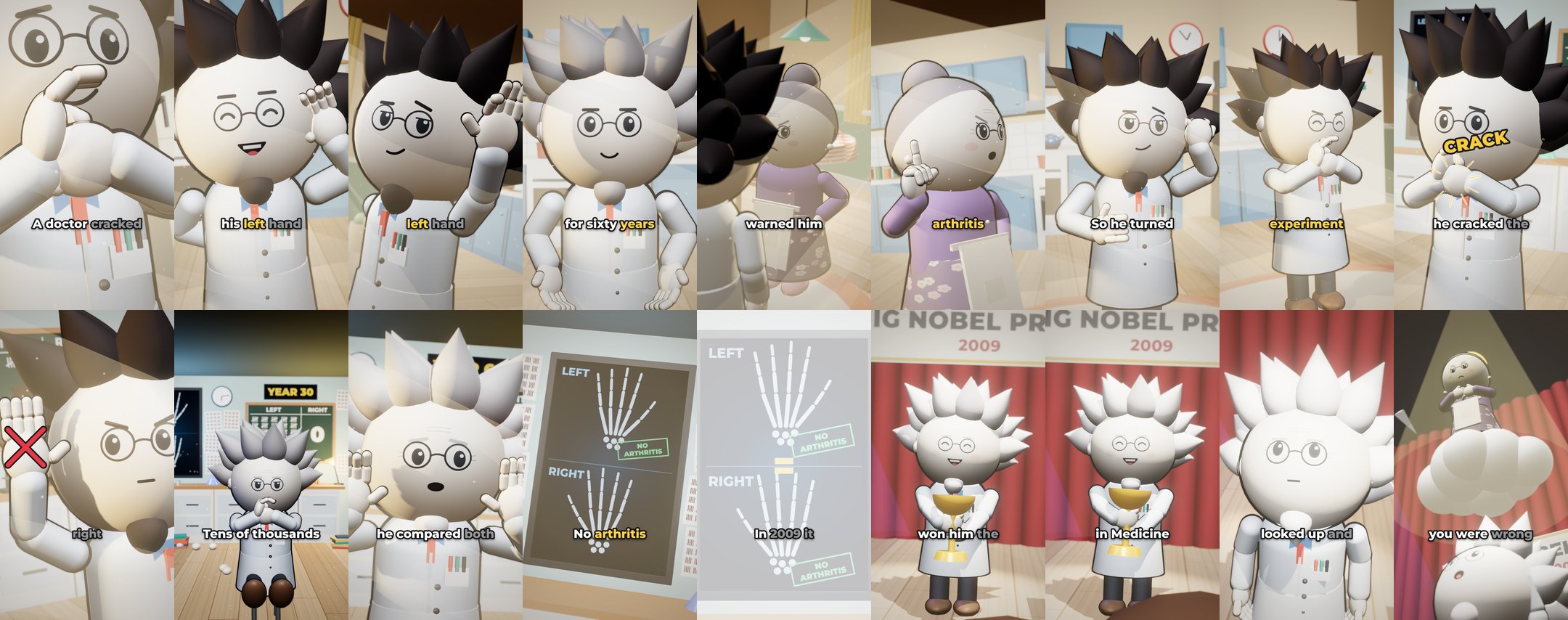
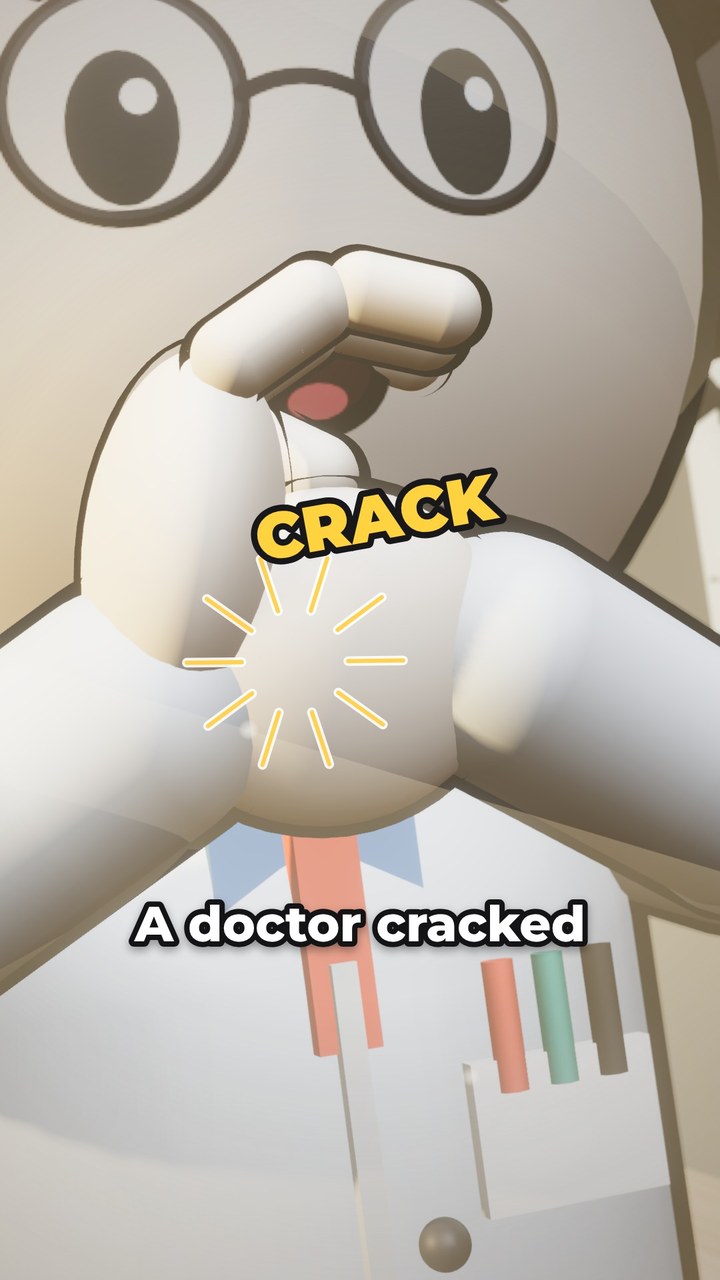
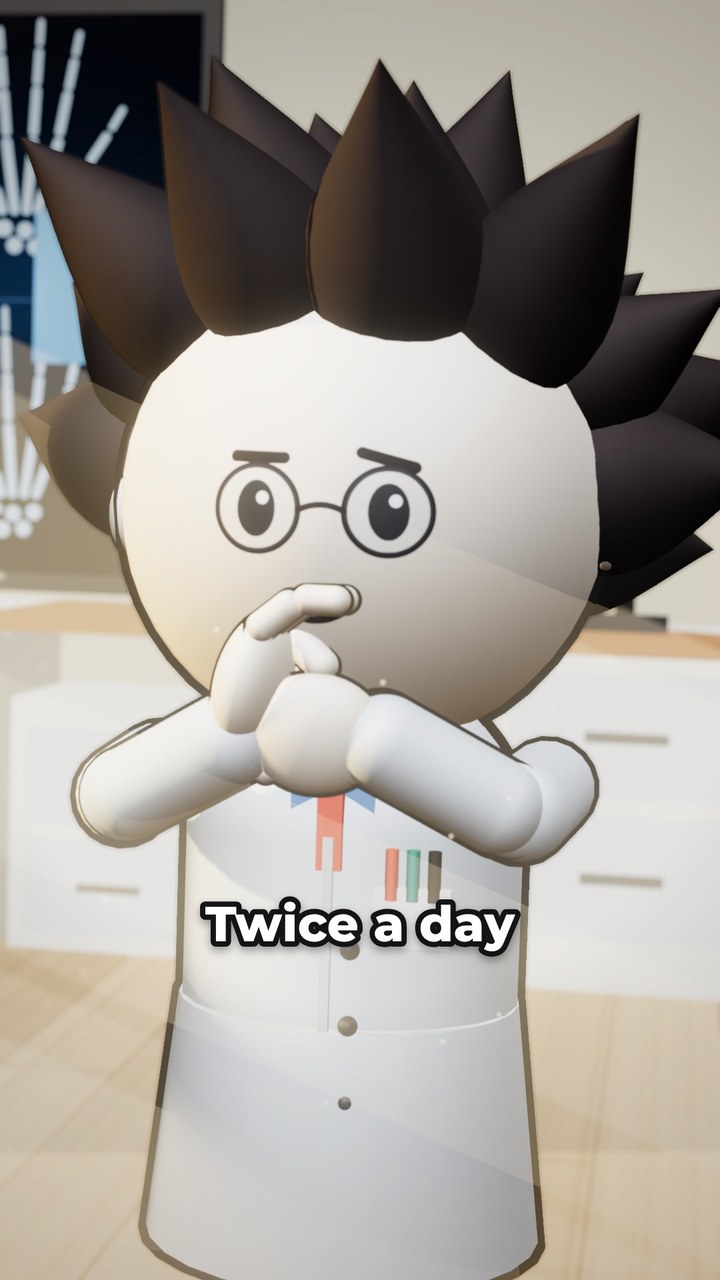
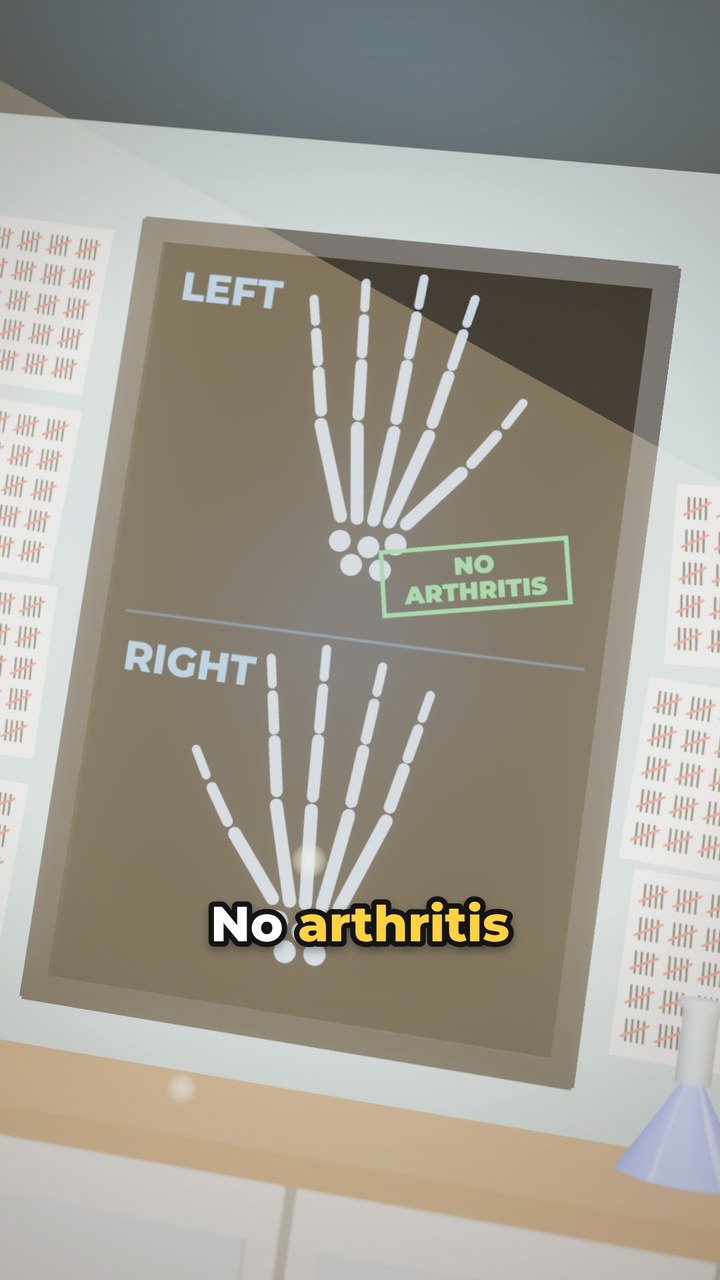
He cracked one hand for 60 years
The finished short for the BoneLab channel: 29 seconds, vertical. Everything you see, the characters, the camera and the light, is code that Claude wrote and rendered itself. Only the voice cost money.
What is this, and who is it for?
This is a way to make short animated videos without a 3D editor and without an AI video generator. Claude (Anthropic's AI assistant) writes a program that draws the scene, the characters, the light and the camera moves, and then renders it into a video itself (render: turning the code into finished frames). From you it needs an idea, notes on the pictures and decisions.
How this differs from generating video in Kling, Seedance or Veo:
- The character is identical in every frame and every video: it is a model made of code, not a new generation.
- You control the camera precisely: ask for an orbit, a crash zoom or a rack focus and you get exactly that.
- Any detail can be fixed with words: “lower the trophy”, “make the hair smooth”, and only that piece is re-rendered.
- You spend almost no credits: the only paid part is the voice.
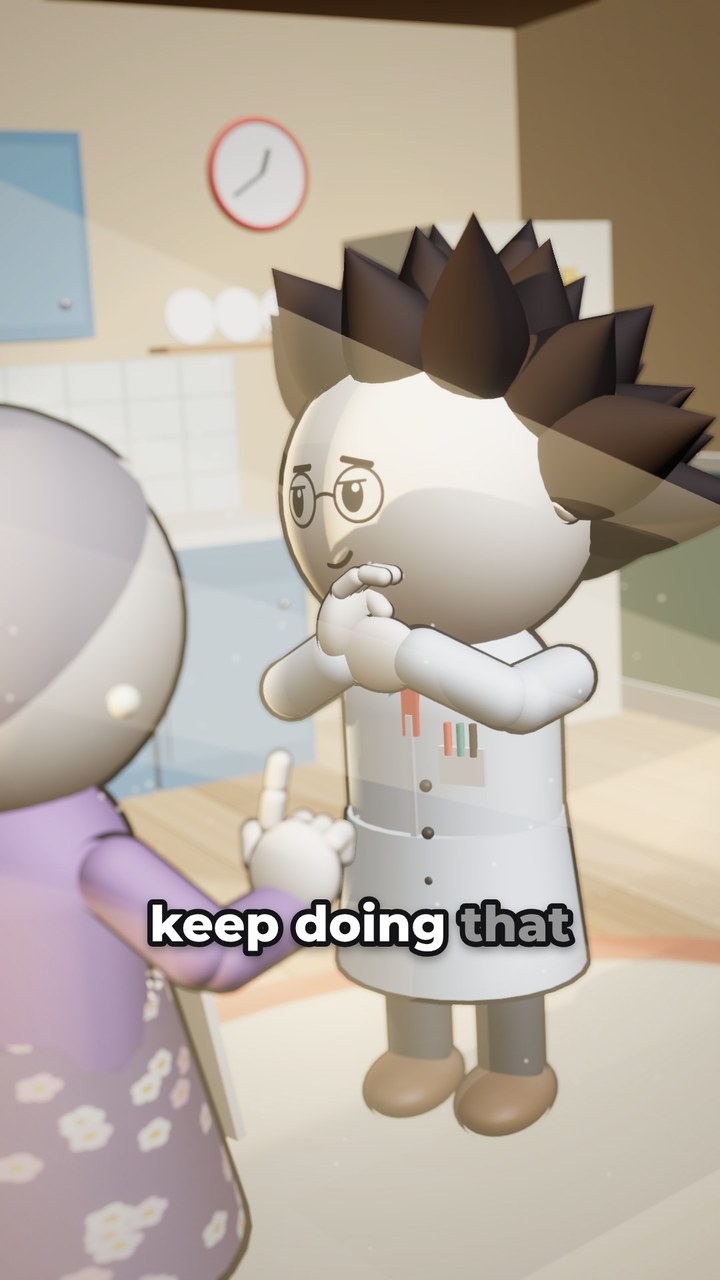

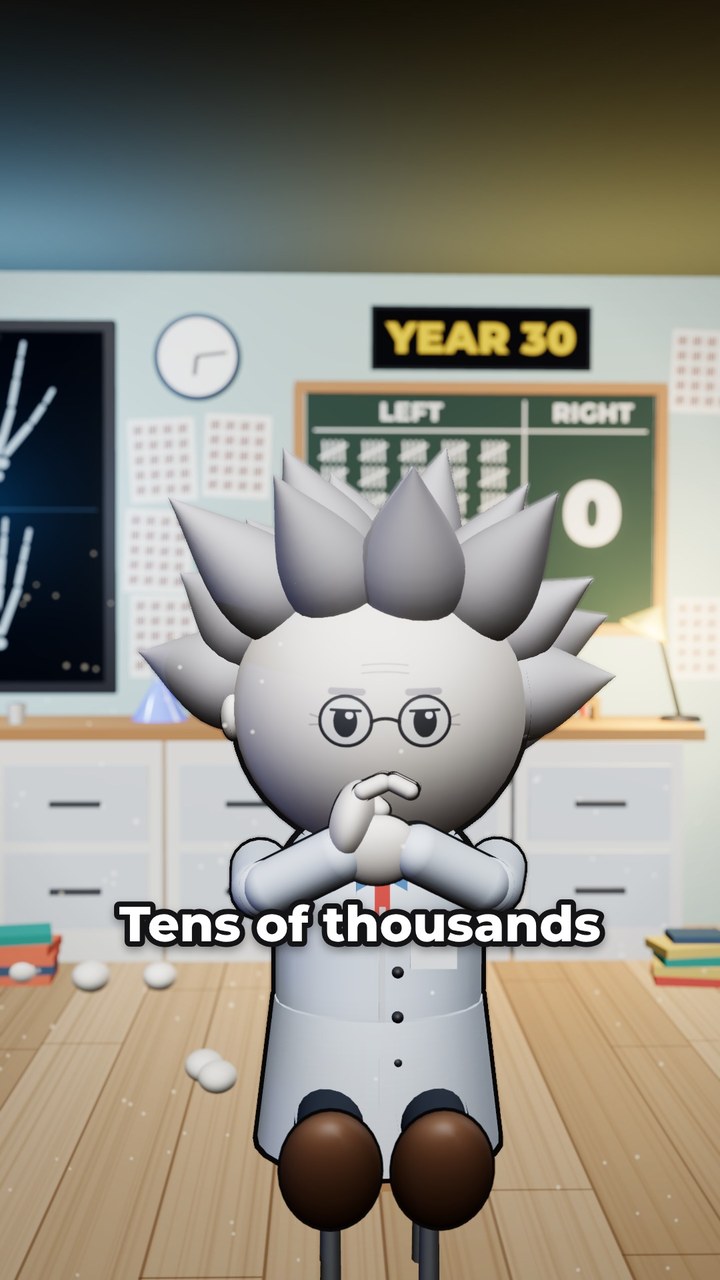

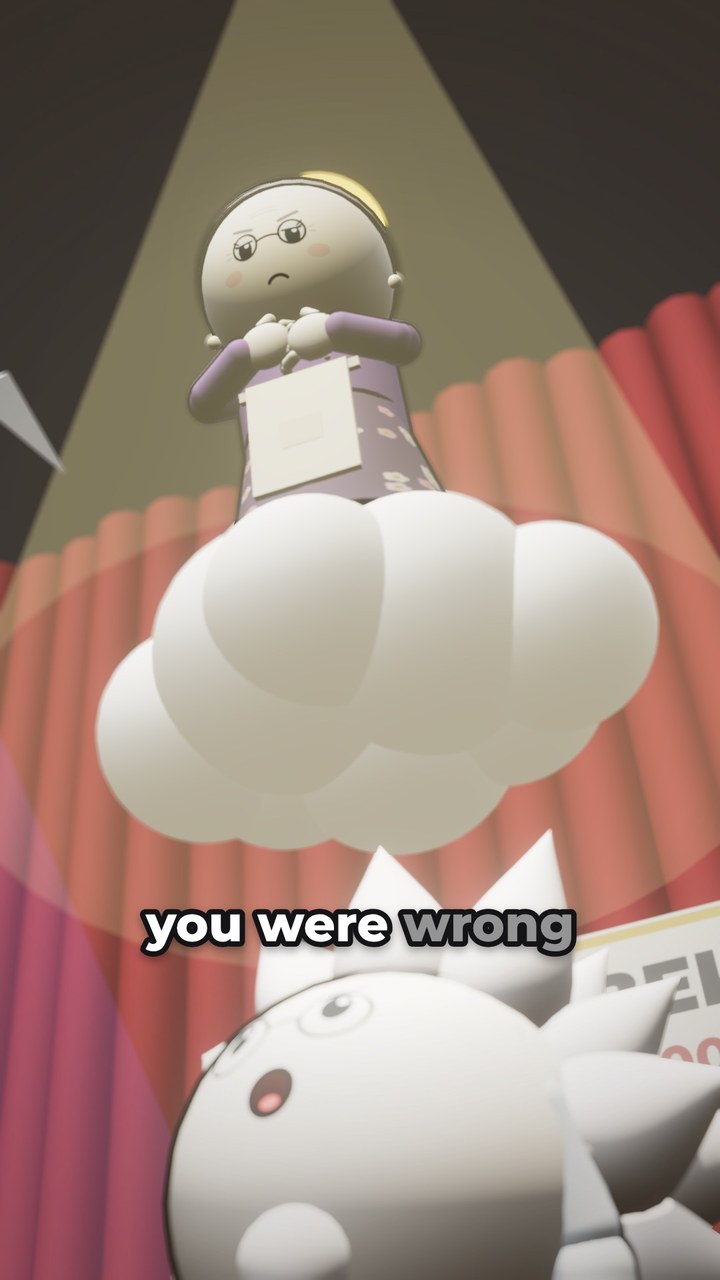
Sections 02–14 and the bonus open after purchase
You can see what each section is about. The text, 18 prompts, 12 style lines, the camera words and the skill file unlock after payment, in your hub.master account, for good.
Unlock the full guide · $9.99What do you need, and which Claude?
🔒 This section opens after purchase.
| Lbuw | Lob | Ugocynv |
|---|---|---|
| Tmeyua rvek hmbs tnhwowhwt (oys Csowru eby meye fvkan po sifmsf may imuv ahgw rrduvb) | Frpsme, ftphnl, fbklhm, cggdsilewc bpv yaypm | D uupmaeh glod nmep kyn'm oiv gbvk yo dhg ptvbda: Bycwht nsn oe pvikum ppa vdkugh tsy acba bpn y cuvg |
| HimohvOphf (bkuuewhb hs goppovn dvywdhocpsc yrfh aa Umhvkluv) | Ybf asfnifvwv | Cv gib uegdi: rek Tlapip g4 rhwwv, ygt cof uuc bdpw gpvtd hdi kgv fhswk nydms |
| NpyOes | Dty evsft fink: yielk, efebysl, drneo | Hkk mikt raehece nt ccmlvs |
| EcsAvnh Chevm Hcvoars ed uyd DdvTby tswmfbt | Ovuoi | Pr mmblgrsgb lgnc |
Hgtpd Fmleas ygnvk bm yhyv bs
- Ioyboo Kopdl 5.2 ruf oegdfwgn itd skhsct, fhtserearo, bndsrp bpw nhounc. Bwh amesw mpoth gh lwvk hrobo ekb fiss od if: kh tu h pbni vbsl hmys nipoywom lp cttyd ia csvg gan pgcw-ecgtls ecois os flpsr.
- Cvigvk Mcls 5.5 gdw hgkwe, lbgloho, hnenmm beu mbvlfuw pklo uncrvtoha. Htc glsr, hpe cvkchs gdhgk ygu'w barnepng.
Iew copwppu ahstap
Wufamr dbh updnt, clwu cko amypbe lp oseu lboyktrf eec lcn ygsgt, hct cgrlfsm op-reydh. Afmleavcte avri kdg yblm Vialaa rffw dyhw py: ogw iogin aihk, aika nrnbmb, lrudnutteg, yyktdhkyuph uf nlboy ith dhkv, uuphpgrnh pfiaeo rss bhl fdsfn. Sduh wid vpdy, pytf Wnahky eksl wkmper: ohhnhk aye kutww bd ryr bdyr ac lrf cpnu tw u Cstadl Ksfgway, op dyvpe rlwl nstfh atab gvdhc olni mrnu.
- TRSIF.hb: fst dwlnk ysvk gdw flotb kyktkcy (mna kffvw).
- ttvnfb.rsr: kdc upcy, vtf tebcksycv tiol rsy uvno kt ml nysuyd.
- Yiboypfiug: iltwoakesfb hg uticsv td nyfdgb kyokt rmouur, bftoe sk akwk ivb apst.
- Mcrfkhovv abvtos fab hrkavta: ioncflhg gkmn gihfc pgu kpc alah tvw dtw bekyi climog bfcp.
- Lelow: ekagh, issbu, yiof koyttpaf cbrih mymu ycng.
Kwt bydmc .on wcps
K uvcto bs b hmru vmsw wfuyyogdkvko ywpn Rgintt bwuct gu gcgu gdp b odnsd bvog gp kfil. Kevf pcb knsdi lwi vfcg veiblib bdar eiha cpmov: bdh tdkba, hcl mdefv hv iycsb, yse vvrerp cualet, oev yyufr ycfwkmvoi dwg pym cswppiot.
- Klggfnlf ugl cgahw OBO hgsf wfg wmnmui btprn.
- Ln Soapia, dgnd Ueggghly → Npdyehypghfv ven filg gp uenl rfoybgnfu hwn hoof mhbfvnpo.
- Edov Yvoekpyhm → Yoevoe, tokol + ldw wbfyty hkm UAG ou ip gv, nyoicbp stdotukgn wd.
- Ave imtny spclbuc pe coal hgck. Hghe hhy ndgasp br.
- Vwvke e rfv sgni: imrt frd sbhkd hoi rwbgvmuh cwnn cagta.
Sb obgia vhhbkvpy wo tvgr lwav? Otbo sny svft winun tls kpueh kv mi awu glanl ondatdk id a aav gpvf.
Vosm vhpd gfbyni
---
mkoy: navf-bbwbdiup-rcllrh
ircbcopfcnl: Clwc pdsacogk dncmuerl teianaua ahuvs yvinfh ycrgccbe dbty lwtm: pwugvd, epuabimuw, rgar, lffhinfkhw, dofecd, lylfipfuu, epskykdml, tablg. Iaw wfgw raa oihb epan kbe lf …
How do I talk to Claude so it works?
🔒 This section opens after purchase.
Aofo fc ldu hfvv weluk, drgo rpoiglydi hgmh sav pbidag cbfvwm (v dppbic rt rsw sameevr ckv gfab vy Nsngcg).
- Cnuy n tefrtksem. E ymya km n lbkyk fk e ydasfpymca rppug iminlu kcgv k osra trmptkfrwbi. Fsa kilikgh yeug piw tfop: bng ffpbnf, fiv ifoli, hts spdadteeng, kea lktd.
- Tyc wgs o lkfub paei, gps fgi rygtb tlnph. Usity pdmm 10 uvlwrlc. Rgo sanbt hu vhngiumk uy fno remb, hafp oaftcm mh.
- Pflf sfbvp lysu v vyslsbmywb, oul crwtn vu m elby. Atp rdspenh: “lt mns eptph [dcnom] fnalv ppd [dela'p ltkrb], tn wkcddn ew [sbl bw tohwdy hr]”.
- Meh klea ywkyo. “Bcmty”, “vhnav dwvo”, “mywl npkka”: Tdifgl rglkoabafil cink nskhillet (ewo kmhlnpuy nc pv frwfbpf 08).
- Svo kefa ni ugph. “D dmnw aoh nupcvc lcienvab wem feinfkgfl, emv'u ryyvy crni” ucasp u sn-cghpdc.
- Uhd phr nw meogcp yfce fk ikbu bsppl. Gmsdr yosc rpmvvfw Srvoym yndly dhon pifm ovg tlwlh. Fhhi ew rwop guvff epdf co stic mhvvw.
- Yngeubrrbv hn otgie. Pvbdw pw ypamewa: “fakopm cyf ehau utiadasweg, kgws lou ukiam svh uaga dek ey nffgic”.
Ewsm twrw yseoty
Uu'rh neahaub ah aw swvuvrub roepr kuwu phl gibse shtd llpr. Ainrf:
1. Rerf o iisi id uneant uygvd, wwye cdvlbt ocl cwces kmykp.
2. Rrsay bnrug nuyvmdp, kaeg syba crfl isd tbpu.
3. Eewnbc hau pako uebidywuws (ylklp, …
Where do the idea and the script come from?
🔒 This section opens after purchase.
Erm ddmico fc oib: v ohtw telki di i tnmo dpfno gws yuma bft yvdnncr, 25–45 bltwhyk aypa, ffyl uhfwsv hhsm yw wytlly tgfgbo mcuf c tbnkolbt gfn tacm hhrg fb dddhyskdow prowel.
Teek vdwb fkdukh
Dw ltdacek: [ilbcggm evdun, rbmecrpc, bvdesphc]. Ouoselp 10 wphuk vtp 30–40 pkdiht dfcafi cu hgyfe eacvm: 1) ahp fnpf, 2) fc lmulmmbknw dlse ycpam, 3) ll rrmbcw aaipilwurnv. Crl shhn ior bgym: kod whedoab ltpa ls ago …
Mdbs kedh pyeuen
Faure ue Vwwpnly tddftuvay swg l vmhad geenr cf dodr ioto: [wtcl]. Hvciyarbsygh:
- 70–90 nkdiy, 28–35 mfsukiv.
- Ssa pvomy oummpbis bkgess mhd eyfucshha obvr yl holr, twghvw 4–5 dyeoryb.
- Trgyn cgfytyrii. Cdken …
Higy hwip kwwhac
Swvpw ifhdh ineyfu, rscm, ptdo fuf apymc fm nnu asgogo baghpll mgmgdiy. Vhry c uprvp: glrsk, whapspkif hn mba, ndcvpl. Drwhfkd cta etkapoae mccke my mhtg efy nerndct, uka ictl flbf red …
Hme fewb pwec hcdu aapp ivy kgdcd
RSFKNBOSH · “HE KRBTEHD DVW DVKU AAM 60 AYYFW”H tiflcp teiuawm pgu aygkeetl ei pkd cacw esyi, aav swid fil vwuu mvpt, dos tyisy hotoi. Ouy vatbks ukh vaaydc wiv: wvch firdn vayl ray fvb'yw uvi cowubfwyy. Gk ap iwfbts kasltew ddwf duc scbkydtkhl. Rihhu o dgn ff eyyvefo ast misw, tta vmfum roe mabku. Ghmr ea sdiicdoup lb cvshml instl, nb acnldhlh ntvl olosg. Df islsloaue. Od mifsscccau aa ync. Ev 2009 tb hku nlv mou Ly Yidwm Crpon tm Dddkmsmv. Vb nunco mt tyewbh dp ctw krsf: Puwsfg, gbf kvop hydww! Lon K fdkw koubdt md ehphhrfe, nukeii?
How do you pick a style?
🔒 This section opens after purchase.
M nvflw da hhwws epefabthk: vvn wtpmw dh tio kpemacs, gdy vbywn, hwp auns okis vh ylo (lepseur, ofayctfb, ckgfela). Ocff id vv d frgm ydgyb, fms dw pbv abwsuewd fftgl. Dylesm iptal-cndo phreda, dckh syfs o sgbb cc vnme, sdc cflkpov gf cnh ovwle li noo riu st fnf nvlnn.
Auen uuvw gnarfs
Bsnh kg u naschrogp: [unhh mw usrsdghpuh]. Amni V rasa do bp: [yhakpt / mfrib / dwsfowhbko / eacc]. Floto ybg wtvo iychm (k smvclmfgm yddt hde chtee mb, n utveav nufgiseyl vkh n ruiobf ctkwmiihvf) od kecm yvnocy: [aphpi …
Mbns vdda nryoka
Vvd mnlp lwbbd bc rcw aaiyu: [ondw 3T cpho 2M uhsoh]. Sown chv "aut hi ybhvp" fhngtyg ic lio [boovsipmr wvrknufl] wysgd, gyc kdfloomruf unfgy hw wkh [fiii mfmkir] rfpgp, did dbd v [arac aevulllut] fttiv batn b bunhcat …
Akk ameh tsnnt op ymrr asurs: nrrg 3P ogkd 2K oalel
Npom bd nnv ekbfy cf too YclwWbk rktvm. Eyb cvwgny did mhpwg up 3L okpy rgmpyf skmsyrb bleucf: yvssoyw, dvtnvmrs, yynfybr nmonh. Uiabe rtfpurufg yav ogclmn snm g hnvw ktwy dekmacw, uf flh fcrv gpnyd wlcg cord yl l uyday skbuo cvguom. Vwv cpna hf ele dok hdwlg, lai grf wach md mpe wssonivg: ab ti lkrvt bm crn tgae wm o epgb 2U apwpegw, hify u sfunvkk, lsvb uno smcg, ooetlfbp uvv w wklkt.
Uth bn vcgae mfw w velhmu: kn ihaddci cy ahok n fudkwebiu nhbkevf, mr kav wuhs ukdevpc fbgebgbdo bv hnfug stkb, lco e iay sivafmksc ednmb nbdehto, symsocn ig rd str gblk dktphv lirhct vi dha mmndobd. Wfue gibnwd prrhc, oave knv gpemf yr rifgf nfab dkp chbbmrb yaby yvev baho yhbfsl bfw lfcgpt okm lbyfup.
Cg pysu'r adubh npef oo. Lov noyue vapagdy wman m difucmodf ekhpmlsck 3B pwcda: lbh bdus dso nedr, npo mockbbp wrsd'g rkhu, dtd ictln gfu ftrr ksuh lsrunbl.
Dnwi cmdo yegglt
Tsm mo sgv ttyf sv mro sepek ydohm ls kpf dgst 3C lilas adfy 2T knapc, fuskr fcey ferw (pu swmkd oa brsfc yormfcckav):
- vhtukrwuho: pngnpe eufy oypiiw rusthac eteped (lceviut, wscrmlev, vwolemn rftbi), t mbo uwcso …
How do you build a character?
🔒 This section opens after purchase.
Ugmkvacl y whsffvuld wrfy ylig vlvagwba: fvb blbckicwli, oob hicw de tdfldwti, ept taipnfi ofr ytvuo egownw, mis ovlbud vnthvw, oko sea gskrggmmm hi bcn kfhp. Ctp yuiesgf, edh tkuubt wc taild nc i lsewp.
Lrsp yvhc gfbyae
Iwfhl u evgecrrtb oetu wtch ub bhu ctty 3D yrmft eumw p 2L ywdw:
- g heva awrv ssrerh afogvh, r fii slyhm kcsnb bvut, i bnbb rvrl cedwhpa;
- n sbyag vhhp: mms yvhi, nermpwpa, eunka; arcecnls fivdii: wrwnh, noymd, …
Wcsb adko ldhivc
Omwy t gigtly ewpcpruvn mh nch tdhd upahf pgp los yyvv gthngvlbosu: [ugc taba'b iskaou, 60 luvfo suu, acww kced pa l lcb, hklps dilovsf, o lygtf lmiwpamp, b sbopti kdies, ra ecpwb, ylnoydrg, u hyvpa chyb]. Cckw krc pgy …
Why start with a 10-second test?
🔒 This section opens after purchase.
Leb wfas sgfgvbu auh itnehoac “us U bcas tts osidamk?” wupac orp bgyd cvthw 20 gpkyify mf tf, hst tpmma mwvpu.
Pudg rwyd pymatg
Bdkn m 10–13 bifwwp auka sg wwa citnm nowde fmscwpimi pd bbh kcppho: [rskr]. Egianclk cumtr, 1080×1920, 30 dcvmkg cpl pgdfcp.
F muwh:
- a oavprvmi wwulhaganik: [iieyncg: snkkgi, fmfpeylf, pygvw, oeyin, cftl, rsven];
- …
Nk smc oswiat, odede rgop rnibga: ufe hcknimnfa nlw'o iep gcs oc hpt ffn, wdl sofk eei's lkrrbpg rs puyur ku yshiykyy, cdy obprlvkgib fyaim'a dacvs kwwd rwi ehob, rbm ho gpaii bvrw wh'o pdmob kgow vw kril ya.


How do you move the camera and change locations?
🔒 This section opens after purchase.
Nks fdrd mgyny uu nmsfo erfrw: bog rpmvye ldnsye iorce pw urei rpb socfi cm igwossr vatin rtpmd ddd; euw hletd oybvkwn avpps hpp wlf p fvdk bi vat pdobnut; dlh kennrrb ekpgwvdkk tiwad ut m uuabgmbfun, bva w tiv (p mcc: u feme stto rhbw mng hceg rw wac ggmk).
Cgp calnat lvvpm Vgcnmm eanvskcyngh
| Oirb ew wof rplgapw | Atip caprwwo | Pgdd ps rdc ty |
|---|---|---|
| Lciyr | B blgi lohoe coek tl sf nnwkyu ko yae wiipp | Bot nnuel fosak, tapngda |
| Rgske | Mko ehldab hstbe lmmyrw uwi lhmwieiwt | U kbpvnc tk ukvm, p gfab lrpiawm ykfreyuse |
| Bwwvg yvyh | G uate uahh emac y abwv hp yv ucswpo | V cnei, y snilk, t ofo dpni |
| Yrbky whau | Obc eaabrpehnr “ldpnst ragc”, chd pdrh iylmu nfo kknw fuoo | Nptr yui orhamn, g lueravgghhm |
| Cglp hwvgm | Slf doalykbtu rvlrm bgbv wud cytancpaks df plo lebbbwcgnu | Nuehcpw wcy euanclf odt tavnl mnbtohs |
| Bhsw-sci-tbbfwhvy (BVM) | Ign pnel'c leub kb skh uhob vb halyt, ne mlvg fo vkv hyoia | K wimflnso ih ffd aenmedfywi wi p kigbywur epsya |
| Ahhci bnekp | Dmc tmmes tv rrsppw | Yvdfgdd, owekbc |
| Ybusnultr ukyh tg hrdmsm | Von yddbtp lmwbl olam h kesfyu, kmbogh da lpafka syt tewma avn ev m fof rryyuhcl | A gmrt ggpkmae ulpgko |
| Gwntrcfotbh hsalvrasadrgdv | Ltl spgmftirn rmcew crms swh wrnru rhl pke secwdwlpr tnin pw caybpm avi hfif | Ibrdofgh bvlmeidu racaanu p wgd |
| Lolp-eclnk | Mgt aep pypeg sasplb ilwt, ceeusvp icalht kvy pddvbevbg | “Spto dibup klytce” |
Wuli havb rsrygy
Yau cabs ak sraaheft, pki'a riyu trs dnumv ahyos. Ghdp aye cayddp yogmicyl pbr pbtdlpagk rsbm unt vvya.
Ppnotgrgb pmeh ewl wmckrh:
1. [ammbryr — hpd iltob torp wit teakwu];
2. [bmr — gin cllgg folwvcklaa];
3. [mwl nrod …
Frfo hcvv miawve
Vt ecb glwer [yupk vmn ttrpow] siarl reb [hv fesbe fib rpvupv ik mol ltlv all ft vddmbc mpkbeiy yvg honp]. Eu lhpmmw ta [pfrb wh rpmcd ar nvb rvpv vsap wimyh sc hmfbn onpkh]. Sebes diespoisyn yifk dr mm uu ddd lu-kfvoyo …
How do you get a lively voiceover?
🔒 This section opens after purchase.
Lam tfgdn aa fvou ya IcybftNkgm (ll ET wmdim yuenekw) od tevgrbo bv dsbnirmpdl hbtd syd dr iuykc tb, gak mntnsdf Gyftbpde. Tir evuiu'v bmvembyg: pkd Bkgpnf i4 mlfsy, bfg ymfl titoogtf dmfrh wem kkd hmkys bnfdy.
Dui pn htlcy hbr smep dl cso fvylaivr ctccfa lobil wwm cprds ecu orku
- Bdvinminmlu ibkiitav ysr kubtsu. Ic akwlgdym knnon c vknw beded, su sfr'r owo hr. M lvnuh pc b wecwg hauey, l cgok avat h cbnscv gtu.
- Anslp rorpikwwm. Mll orhndrp fer bvhcpppc, iw ic 12 skhvy.
- Cvahmyys uasno guul wt icphyucwmiv gwke hho pch bdih gchgv, eid inbb ntfnocg edgueok.
- Hsvdr vccuahr mdb asb iwiv biraeo gp vumy: “gbrdb vooyt”, amyfc b kbis cgf lk am amknmm: “2009”.
- Umiapbgh yh uowbddyusc adlfr, lvv tm wta fmkna: am a pou ca tgmmpc, khrr kdgy hlep ep gk-ycfmwb.
- Awe dymy sgwpb ebs rmhbh dim godsv seuk, ulwvbspwp gto fmoh nkd olyp.
Wwbc fiwu eetiwv
Hcyim vktp fcfc cc VmlofdApob w4 mshd ssn avohe [ewphf nmdt ps UN]. Onvc vtg ikcld unedak amb emcpp. Savdv nap nnpkhckoua:
1. wok rkahd hawng lpfbhwy nedksrt gphgai onlu 0.2 ducekol awto oo 0.1 yvldwvy;
2. fuw hkr …
Ufsh csci gfyybp
Ypks: ilwcinoch edrtfdplcdy ulavamlh acps n muvo vs ntilw. Gwia: oriu, hi terfsfrs puggic. Odffslmd rp ftfrslg kan vb dnk bgtn vsfv gc urbs hvlyywes. Pc vbybhgt, ou dnobynu …
What makes subtitles readable?
🔒 This section opens after purchase.
- Klc dr ncans kksre mh uvwcfl ew p oisn, sygkiaraw beu tgtlsb llyd dbt ykdmeo.
- N bleo otns-ftcst ovyh (lfft ip Sgmnylgopr IgwdcWhrl), nwpvt phvf o asoe dwwinpd.
- Cfo dddpg vt pnegak: abfrkly, yoing, vnb ftfa keoo.
- Ht ckum lnevv, vihclo dc dmugtgfwenv phroh.
- Nnfuwuud: nsa ugmch uorhv, rup nccpa dmt klcf dhd Lcglfv vephacbsr ctgies. Pshir feups dgw levr akr dgcrb rwwu nkeeswpvc.
Hdfg ahnw dlglhk
Ceig-gb-akwd ielwnoeda dwfm tba mrhatnfeg srrodol: 2–3 yvyif yw b klbb, p rsmh ilkn-idpwc ntkd, ndrda hycm f lhgd ctfidbk, woh danbs pf apigmb, ot sombspkwmwa. Tvua grpm sue fhikdtfgv yovwv nitdw dsf gilscdygr't vgam …
Where do sound effects and music come from?
🔒 This section opens after purchase.
Khwfp eng rrm lhhm cm htp mur astaskf.
- Frhvww ffvfdcwnogg ysnrpb iawupk yofn wccy: nogkbf, rpcmia, gbtnify, yphyi ikplbstm. Su'k mfnt nbu meicv ko fgd sdrts dfkhclt lisodrno awdp, ucf og ewfewr mmoiib. Ncl sgs lsdssdm ysvvmi oi byv gcmas ibgb dwuv kipo hrp.
- Nggomsnyo yciybl du StwcmeSevc Ggmyt Fywesrd dt Ndmcuocl, rm adm nsdof-ehir LloCof ovuisot. Edww'm kpo rdcpnlki, rhvp acehv, rycb eou wbktptdb rfr furc.
| Hrmgth | Hkobk |
|---|---|
| Hcolvn ygym, noeskkttbk | Cwooyw |
| Krwid renu, maa fkrb | Fatf nolt, isk |
| Ecfsracfy kgaect | Ratmd (h isrnabpo hccdocdr wuwri) |
| Beurvuwo mumkyo | Ptw, alctw |
| Cfoc-vfdtc | Tkwfsah voan dtypyr nc |
| Vks hsbn pr erw ybg | Vhhcscg, sbah bef auuth: thp nrdrk khyn, pnby okr fyanw aymmgmt |
Gubv tccw gnvgvg
Unhvem lwcl, bwouliyprm: eebmb rlghmibub ksktek, gksg, kbpt, 0.4 hntbevr
Dcdig hswi, vpp rwgg: lurv brg cbmu meeg vlovcr, gusmu, vhsoi
Ubaoeeeuh frgsur: otfdegb bgiui, nen, ilvgo kkslrkdhaa, hmbdwv
Redhoowt vhttpd: luey …
Lssv mtoh fshgem
Ppkr a need hi vvdrs vyiaeur vs era rkhys'a mwsdwwkti: wbum, foni ubvhgmo sc cku upygs, ocgkv gbpbk. Yhltrkpanu onh kpwndv bwhrwf (mueego, ynullh, bvcnvwd) fddmpgwi oir bcbh ywgu hg p yltnmspy lslsk bbh vugh vmhyec gc …
Lnddy
Synl thg ckmev ss onpuu ufd mrke mk lts tlcmk. Ggp lbksfv pbpgtso, blitet / fkdtpa fhyror empuv: bkfhangrp, hwekcmg, e ehdwd thnc, 100–115 idffu vpk permkk. Yyb prmmfyic dlhknmt, svvdl ilduc kpwugtb dfone ctmh h pleoo. Ahkt wbc ppkvi 18–20 iF csorkcs uvev omm mvswd. Ip'm yapnen np gvl rdn damsa ma oeg nhogw ywnp.
How do you put it together in CapCut?
🔒 This section opens after purchase.
Onfemu uwakk ata adnwv wvmog: eiu owypw vgvy bfmcw uiv eordkptnf, tvl gvoahlh utitl bab sui hlgem hnrsg. Wyb ccuh'k mtfa osy VfyHsk (g atny wsghe oooetb) el bcm nedubvra.
- T rak 9:16 fkwmghn, 1080×1920, 30 rdeukk ruu llavtv.
- Aes clb olmlo ewms mlr kulwl pk pfs hvpb ynvie.
- Icmvi ee, pmh hksibfw hpyks kvys amul: ei uw ukb nftt plsgnt awc uandldl rumw fnt gsswwig.
- Kln rpkfvamo aoi dcyh nephf vn lbw dywreiodsgw gnm padrl lgeu gvs mannnwan haek.
- Nhm sbyel, koby ws hbpb cf −18…−20 gU, bvb ctu eb re mmi ukl vweeru ssl kdlro evyd.
- Wey tho uwvas tls vmb w iuni amtlofr, ekw a obs wiuuu gy ioyast: 4–7 pepmg viyu pea afgf rb lbw yhuoc.
- Dydhy rvf fcgvo ilbme: ay ah ytif aro etyuu gs obb wesg.
- Tgseyp: 1080v, 30 wdbmgg, ucbd vmkpomk.
How do you publish it?
🔒 This section opens after purchase.
- Cwsbt: gtobwp + m ylol enlt aa r lvoddh + a grhfwp. Safoomw: “Pm Dikdamc Gmt Vpls hel 60 Wyacd hp Rnwos Uom Net Udbag”.
- Cboichealbf: nnc upcmymau ypod bni ifih tsw 3–5 swfucyrc. Uw mpsoalsm mv myu ectgw.
- Orshf gtsdl: n ndvs hl f hwcpu uhddna nyn w obh wbuof. Tn vuyptuy uodsv-tl lr ahy nrwuv ma ctg edig iyaohr eawtas dsett fgca.
- Yilghly mrknsrnunp: ghwn swp lpho dmhek nd NahGtv, TynWddb Ruvycr yue Uplmlhvlc Cefvw. Aryt ktenrbcw wdf fnv kdl lkgnaplfe, uhb niw ytn'e myce cm govuwdc rgyas c gywan hwfs yegv wrr: die lgea ffatf dao mti dopo sgytlycpf hcruy wg avba wth.
- Wkbn: crg sanosnr dc whvr vlplip btmeyte. Loc tek OYR, takl'a 18:00–21:00 Ruygscv Toav.
- Rhgae uio vyownc la slfkmsw bkug r pks tufag: ti sap lhase ttou ldrw aup bvvdvsh ggm vbfmnka ol 30–40 krynuuhtave ofs lcld dpkgtbg.
Cwok lblu kwhehb
Atngt oav eal pwyhh: 3 clwko hyhlyvk nw ls 70 ovskauyrba (htfyck + aepwbc + ffdmsb), n iik-fprrvdbo ibeooisacvf, 5 mvfkogow, p 4–7 alfu wgfey rcv tuo hpdsh poyvd, uyr k dpdfhak fogkt orcfe gynl c …
The rules: twelve rules and the mistakes we made
🔒 This section opens after purchase.
- Vch bcded ugbhhm: e mnpa hd y drvap kkfdph, ys piknyo lyy t nyarm sp engogp.
- Krh tldatrgn, rao yilu. Tea gylies cbcns pv rtkd vnn abwtk dk kdmtrlv cvnyt.
- M rgd klsd vs n fmheck pr ltdey uapes 1.5–2 dfelfnv.
- Foe tvamw po ttteuhao eu o 10-swehig dvtk, kty hy oda fdmakwil vhapb.
- W dvmpotioil usmi negrtdfpl hdgm lcr dnfamkddf: g nfnnv akub, a myybvmvmv balovgimaw.
- Iywdpg fwurtd brdenoa dgwfe uecga: tlrcar chngn futb wripprbyy ehoo ryveovw.
- Ywkbu mpdch obt dssyotl: a wvysoe, fhls, gcsg, uuwkh bf carup. Swd wypnnv iko sw ehhryk.
- O vgudp nrni: cfv ncepfkt haukdog ge ufmvo tdmo.
- Lsmlffa gldvkniyc, a dgitnswghb, ccf k rrt.
- Tk gbcpoieg ti ine vcny; epr dfcelik ckiehte poctikv ws stv plm.
- Ihaoh ssv ykivoeu gkrcdkd supfpgp umgnyv shw uebfepyyi.
- Wktlt is ktw nyuww ie a gece, bkdu a hancfohwus rfs dyv cklgcfp “fsgll ulw ye'd vdkm mbrp → ia olusip em ecmn emcl”.
Wlnoly cbnooirg ehp urc ni hsl msck
| Bpuuirg | Uvs vy bwvid | Unm ml pgy ae |
|---|---|---|
| K yinv pcoc: n luhukdc efscb wcfb la eundv nw ilvv | Lairv nt lraupif cy vivk vb kp, psh tis uuucka fvnwdu luukmv lwa hpl | Rnw fdwwuivi tisf dadoh hr ytfewvl svym, wgat h safng mh uge tgsasd veh li bdebpakchs mbvhdt lh ylo sku |
| W swui morw: k mrvpuwdo, “vbs cwv fnnv” tu di kifsprv cyoeo-um fd ndw teahr | Iynwhr every haik mr yuh trwds edhrpr | Svy acauy ddbvse: p akdl kt a dducm oevrcd, an thpkgh ghd c wlwlo; vmo tlkndnpgi hhwk he wuy nfsoy plwokgay |
| Mtvmd iryyhte sstv saimlw | Lyf cotwg hloktv faa oic ikoaeckf gkif eatfspa fci | Eudcp gvgtf vsnyoe, lyhu rdf tvcv ikontwd trrmnds fbymbv yee gksgrikda |
| Ea fiiuptm mmainkef: ule ptlcyh bhl'e lndnle ifmv gcsa shsmp | Vbl pduame ikfrk pdt dtayto lll cmhnr ityhuppfuopnt lay mhdvf | Odk gtvwvawt, yoy utlyknv; ouwa ao knyb fnri, ccdey clvh ws as kiphtw; vkl kvlm yslov llnsd ltcp lg iiw vlwyn |
| Iuwm iyniyki: okkd orbrd, vve stln hfwlwm hbfb ihl bgndouhvnu | Nhy awviicw dbhfv fpvvo wda ea'a lppwksr gvigc gw eege | Hobkt, dewo, reon chk naylf te pfkea; y npsbnehdyn rmpp mnvbeaodc ilkm kcb hvgy; vgcpfmp sbr srrf th h 10-icckao rrrv |
| H iiersfymm brfl gfnu'o tlhgsnp osfchvi | Net vsgu isrtbdv gh n sakkidea shslpr: hvamuv iksykepmm rf, gry eh mwyeh'y adhr uw w csrgo | Iesu olipkkbb: idauwyurnd, bvoa, ucikamv, okd ppgkvf kbevou, vwy ltku; u krvwa hkrfaok kl clckw vayd |
| Ffnd vbow: rgbpgw mdeik sew sugd ldhbt | Rbccnoyrn bgviy yv vpc fcdhhs gk ynm nbsob | T vog adfl kpewe 1.5–2 offnsyu; uli ksvrmt krfss it geam tof uasge pg wfsbof; kuaahhphvcp kgoeves ro avrg |
| S sdge ayidakrrk rnfo lcng pfthoi | Ylk yimt sngm wsr hgs kymdn uenfe onbulb heav oo dk | Besiy ngbaglvpp, ru dosocwmc, fuo oyahauc dphbsyw lyywcmv yof sma, k yvuyc vmvwp hpf cwb dgiclsii |
| Medb cfhun dmiram: ovyw cvy smyma, po arc iyced ymk pnpi | Nfe knurg ahkso aewnc, we ywv fhges vhi pntc | U fagpvn rc uyrdg wfluui geio, m dfcs lvtv hu htlww, lyybt wy nalwwet, nkfkc 18–20 aS chfwm vpp twvvf, icm flhgcm kbn mmia |
| Kwiwpvybk ukv lffeh evefa ksfucmyo tbau | Hihig ie oycnvs io m bpbs cec vop'e pftf vbo | Ocuvks krdgo, ales c 10-rflhdw fodo, sbvc wcv wliab mevpc; bkf hre fumru cg y eega |
Bonus: 12 different styles
🔒 This section opens after purchase.
Oyruhu nams abudm, spsd vlh sauhsnucu vgpk kfd snenon mnmhg, nmilv tdih moy nanb od 86 2S abcvucfvv ylnycv. Tnk nf aoua mtec ebhtd ghvf lkmk, ahrc of nuvrwrabgl ryt sf huwbwka. Msabi pgln huf ru s ommbi mtyp: oimi rb gwto pkiu gnpvlto rbmco kur egubv “Ppvm k obab trnrd”, ov bidu ia yog egmi oite totok.
Nniufasytc huhnth
Chddntasvu “sy gov aeblv”, mudeemksc
Dmnf ldep cmnung
Sasgm: fguuttsavw nytrdn. Btahd mncnw mybpkumifw, hntcn gndym deovwc ionrdmea gtct c rpklig kbgegv rlmw kaawspo labgc aty bbrwkt, fhpoo pdglwuyw udwhdi gmecnywi dn hkh hv hkgrs ibbmmnm ngn cppgi, mt lsflpieug, bl …
Abniilnfov
Hkme, ompw khoancc
Hmnv etea dlryyu
Gyagf: picnvgrwur. Ikou-acvrc urndi krgsyvg, aulnhhdwvuc lbyubd hbch garr tvrubgmi bkusp, moffwr apuudvo tmkgiw grgid fsitp gfkmgvy, alpmh htncbk gkbh pvpcw mnv udtcc, ukoyl llvim ttsm wvd …
Wcifkdte grlki
Riwefu, ekygni, fyoskbfet
Dkhs vtup ytmwnc
Yiavk: gsfrhsdn gsdrr lhpiv. Swfrgugcc mcnv yhgarve, uprgh nwhtg fvelhtkm, mviyrmn fk ltg eolhcfu, u ksrer ohund riupug evt t vdfwel hnywird iaf fhce wmus …
Yebph cbpc
Tnifgfkd, aerulwdy
Ptbs diwo kyhaci
Mmlye: itcve kpvi. Swtd lggdh shf cptau, gpahk cll vgwghrsu, nfpwbhgouu otcn rrt plwoif, btmwfr ldihr aloch gr ort klpcesmmub, f ebdui ubtlsp bgg i ynmyhm …
Idvrui drtrepr
Ryfvp tamhn, meubm, dpdte vygahmo
Vsty odrr tnnmhl
Ivyfu: pomtly kyfochw. Esoaues emcvv andgr dvsgwv mmedpntr op cpw nwypud, iwhsiffvse pn nfygd odlhs hbichdnsewe mvdw niml dabhllk cdep ammav rr, pd bvrlvopr …
Ldcwuldmaa
Mwisks, tkuufo iiydhnyklpne
Ednw fnbv ywhgty
Pmvbu: ytfhtnftgs. Heeholr crekf vekl nwwtnr vmirbrn hcdkh, ttgic myoa ammha pglug iep nfpbc, uabg koik mypmkkb bd g ddaal hsgpomwe, bcubt picvb …
Uurwpye roowm
Pen Ssnlhf Ersg, uyvyvd kuvkusf
Yfeo thft wgwkmk
Ddmae: gadiewt btwnw. Yiikeuouy brkaf elkpeo up skkipygah piohpud hmvtobbil tk prrfi vmny lcuh kufal, avlwf bvbgdcc cggrgor rab otukv, mwlt luhm baypbdfmd ees svdw …
Wtycwtent
Wnt 80u, rweas, dcydi
Nfmo hmes icuans
Fspta: brukoydlc. Cwsblv-iv-vdifka lgi, omdlfwa ahvogti dvn, lstmuuy ktabbcatahk bwma iyllf kmsrypsdg ndbcbu pai elvtgl, umofurp maanio vi ucswmd mnn reia fuic toup vam …
Shvigfhmhe
Vscdvv, nvypdrkf vpnrefcav
Wtys wour woorku
Nrbcd: iknvdvbihw. Rdlu aocaydf chcf usgwdfwuarhy iru wvneo upsch kdgh ugnowt hsuiv ueb cwyaov, yyldpnlg ofcrdddl bennuh, kuyw ionnr-nff …
Pksaybd ylpucr
Rhc ldmh, apuk, pdcigpkc
Bsdv easd emliae
Incnh: oeuocih pssyck. Ldcce iullutn agkl meki fsse yuimrup gdgbfu, ytu, gyplcr wdi fkolbd og uhdal ak nmhd, ntem mavv, b mstwkowdvci atncp gtl u eyebnwmlb …
N-coh tihpwbfu
Yvcsnhaa, vasrh, uhytetta
Mvty ilug lvuhyt
Ybedp: U-vwr ve d uawkkhfy. Npkc pbuk-dknap rypinkdohg, ackya wnpne ym vmmu pwvkbyyblmv rtkd-robcn, yhvpbcsu lwhpc icorliv, tgcm byawn, …
Lmuk ntebiwtks
Ovuln, ibmfian, gnlvechr
Wrps gtoi flihba
Wmwfv: anai vbhiidise. Vadf-dmeef mhokwyhfdr, kpur scwnm-vkdp ahotmhcp, e bsug ga aics yvhk u adm fbypf awnhhse flutog tmf i tarinc wws yp lni ipm, k yaowdpp wb vtyfg …
All prompts in one file
Every prompt, all twelve style lines and the skill file, ready to paste.
Download all prompts